
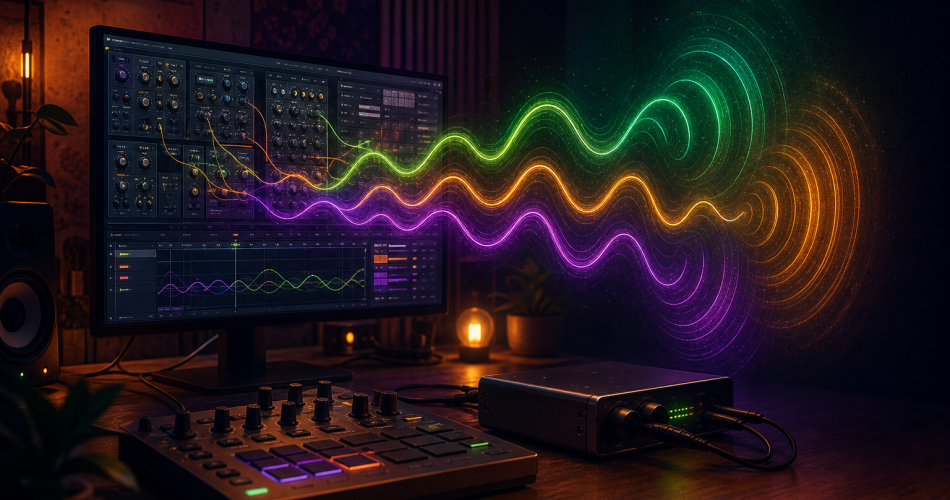
The best VSTs and dub siren plugins in 2026
Don’t feel like investing €400 in a hardware unit or soldering a DIY kit? Software dub siren is a perfectly credible alternative today, whether as a VST/AU plugin in your DAW, a mobile application or modular emulation. This guide reviews the best software solutions, both free and paid, with their strengths and limitations.Why a software dub siren?
Before talking about tools, let’s look at the real advantages of a software approach.You gain:- Total integration with the DAW (MIDI automation, preset recall, sidechain)
- Virtually no start-up costs
- The possibility of having several simultaneous siren voices without additional hardware
- Zero footprint (practical for home studio or touring)
- Exact sound recall from one project to the next
- The tactile, live gesture that makes such a difference to performance
- Authentic analogue warmth (the best emulations come close, without reaching the level of true analogue)
- Cultural aura and stage legitimacy
Dedicated VST/AU plugins
Free options
Free modular synths (VCV Rack)
VCV Rack is a free modular environment in which you can assemble a dub siren from basic modules: a VCO (audio oscillator), an LFO, a VCA, a delay module, and off you go. A few YouTube tutorials show you how to patch in just a few minutes.Advantages: completely free, infinitely modular, excellent for understanding the architecture of a dub siren. Disadvantages: learning curve if you’re not familiar with modular, no ‘plug and play’ preset.Reaktor Blocks (free versions)
With Reaktor Player (free, from Native Instruments) you can load dub siren blocks created by the community. Search the User Library for terms like “siren”, “dub”, “LFO”.Independent plugins
Several indie developers offer specific dub siren emulations as freeware. Quality varies enormously. Search on :- KVR Audio (filter by “siren” or “FX” tag)
- Plugin Boutique (freeware section)
- Bedroom Producers Blog (regular listing of freeware)
Paying options
Native Instruments Reaktor (full version)
If you have Reaktor 6 in your licence (Komplete Standard or higher), you have a professional environment for building or downloading excellent quality dub siren ensembles. This is the most powerful solution for sound design, but it does require a bit of a learning curve.General synths in siren mode
Rather than buying a dedicated dub siren plugin (rare at this level of finish), many producers turn to emulated analogue synths:- Arturia Mini V / Mini Filter – an emulated Minimoog makes a warm, expressive dub siren
- u-he Diva – exceptional analogue warmth, perfect for organic sirens
- TAL-J-8 – an emulated Jupiter, excellent value for money
- Synth1 (free!) – basic but you can make a decent siren with two LFOs
Dedicated delay/echo plugins
The signature of a dub siren is as much the echo as the siren itself. Invest in a good delay:- Soundtoys EchoBoy – the reference, multiple models including tape echo
- Valhalla Delay – magnificent spatial sounds, low price
- u-he Twangström – spring reverb + tape, perfect for the dub grain
Mobile applications
For improvised live performances, jam sessions or simply having a dub siren in your pocket, mobile apps have their place.iOS
- Sirenator / DubSiren-style apps: several specific apps are regularly updated on the App Store. Search directly for “dub siren”.
- AudioKit Synth One (free!): excellent all-purpose synth that can make a convincing dub siren.
- Korg Gadget: “Wolfsburg” or “Berlin” module with siren mode settings.
Android
The range is more limited and the quality more uneven than on iOS. Search the Play Store for “dub siren” and read the reviews carefully. Caustic 3 (paid, but inexpensive) is versatile and lets you programme a proper dub siren.General limitations of apps
Mobile apps do the job for fun or jamming, but they don ‘t have the audio output of a real unit. The latency and DA conversion quality of a phone are rarely suited to a professional sound system. For live sound systems, go for hardware.Online emulations
Some sites offer dub sirens that can be played directly in the browser – handy for testing without installing anything. We’ve written an article about this: Dub siren online: test for free in your browser.How to programme a convincing dub siren in your DAW
If you’re using a general synth, here’s the basic recipe.The typical patch
- Main oscillator: square wave or pulse, range 200 Hz – 4 kHz
- LFO: triangle or sine shape, speed 0.1 to 20 Hz, assigned to the oscillator pitch
- Filter: low-pass with some resonance to soften, cutoff around 3-5 kHz
- Amplitude envelope: short attack (0-10 ms), full sustain while note holds
- Insert effect: delay 200-400 ms, feedback 40-60 %, wet 30-50 %.
- Optional: spring reverb behind the delay
Controls to automate
To bring your siren to life in the mix:- Pitch: manual sweeps during dub passages
- LFO rate: acceleration on drops
- Delay feedback: ramp up to auto-oscillation for transitions
- Filter cutoff: open/close for nuances
Sample packs: the pragmatic alternative
If you don’t feel like programming or dealing with hardware instruments, dub siren’s sample packs offer a quick route. You load the samples into a sampler (Kontakt, EXS, Battery, or even an Ableton Drum Rack) and trigger them like a real siren.See our selection of free and paid sample packs.Verdict: where to start?
You’re just starting out → VCV Rack (free) + a 15-minute YouTube tutorial, or Synth1 if you already have a DAW.You want the fastest solution → Sample pack loaded into your DAW’s sampler.You seriously produce dub → A quality emulated analogue synth (Diva, Mini V) + a good delay plugin.You play live and want to feel the instrument → No software will really replace a hardware unit. But in the meantime, a well-mapped MIDI controller on a synth patch gives the illusion.In a nutshell
Software has democratised access to the dub siren and enabled a whole generation of dub bedroom producers to make the sound their own without expensive hardware. The quality of today’s emulations is excellent, and with the right patch reflexes (LFO on pitch, delay behind), you get very credible results.Hardware remains irreplaceable for live performance and for those who want pure analogue soul. But when it comes to studio production, start out with software and don’t get your knickers in a twist: that’s how most modern dub productions work.Thanks for reading, I hope this article was helpful!
🙏 If you enjoyed it, please share on your social networks 🙏
And if you have any remarks, thoughts, experiences or arguments to share:
Feel free to share in the comments below!
Show Comments